
Written by Andrew Fraser- Sr. GP Consultant
Prism is an application developed by KTL Solutions for manufacturers that use blended bill of material production to create a single finished good. Several plastics manufacturers currently use the system across more than 50 plants throughout the United States and Canada.
Prism includes three primary production step types: Extrusion, Printing, and Conversion. Each step uses defined blends as the bill of material for production. This blog highlights how Prism helps manufacturers manage production orders and jobs through the Scheduler Module.
Facilities and Work Centers
The Scheduler Module manages work centers that produce finished goods through Extrusion, Printing, and Conversion processes across various facilities.
A facility represents the plant being managed, while a work center identifies the machine used at that facility. Prism groups work centers by production step type and tracks costs and pounds per hour. This information helps determine the time required to complete production jobs.
Work Center Groups
Manufacturers often have multiple individuals managing production lines, line types, and scheduling changes. Prism allows administrators to assign users to Work Center Groups.
Work Center Groups provide additional security and give users quick access to the production schedules they manage.
Manage Views
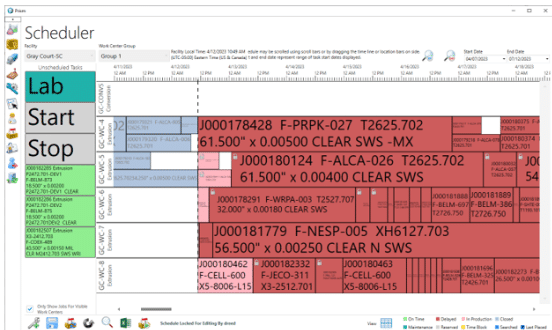
The Scheduler Module allows users to switch between Timeline and Grid views. The Timeline View provides a visual representation of the current production schedule for work centers, unscheduled jobs, and additional job details. Users can also access drill-down information for each job.
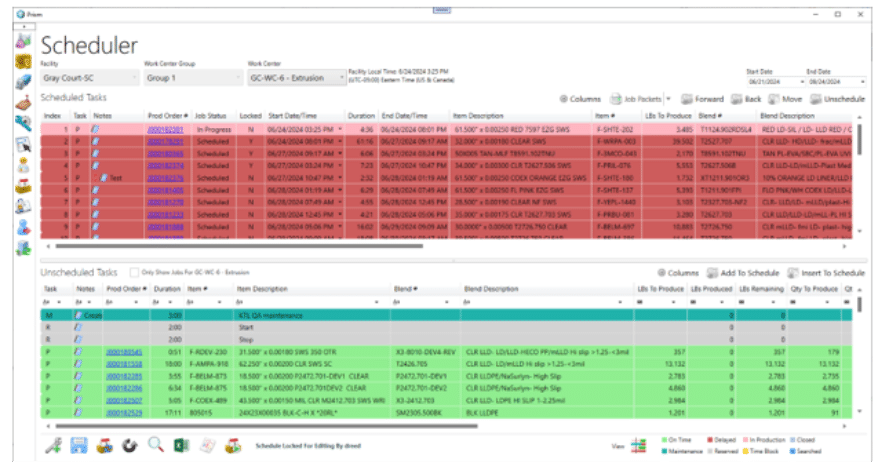
The Grid View displays each work center’s jobs in a table format along with detailed job information. Users can also access additional drill-down details for each job.
Tasks
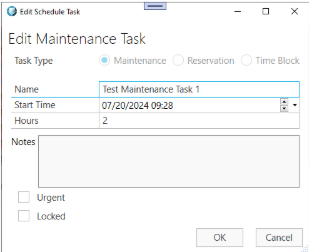
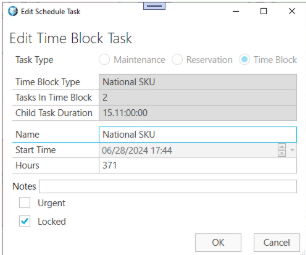
Production Orders serve as the primary task type in both the Timeline and Grid views. However, Prism also supports additional task types that allow users to reserve blocks of production time.
These task types include:
- Maintenance
- Reservation
- Time Block
Each task type reserves time within the schedule and helps planners coordinate production activities more effectively.
Locking
Multiple schedulers may work with the same production schedule. To prevent conflicts, Prism includes a schedule locking feature.
Schedulers can lock the schedule before making changes. This ensures they work with the most current information available. After making updates, the scheduler saves the changes and unlocks the schedule. Prism displays the schedule status as either locked or unlocked.
Scheduling
Users can add or modify production schedules from either the Timeline or Grid View after locking the schedule.
In the Timeline View, users can schedule, unschedule, or move tasks through simple drag-and-drop actions. Prism can also automatically shift tasks to accommodate schedule changes.
In the Grid View, users can add tasks or move them up and down the production order list. The system then calculates scheduling based on task duration and unit-per-hour requirements.
After saving updates, users should unlock the schedule so other schedulers can continue managing production activities.
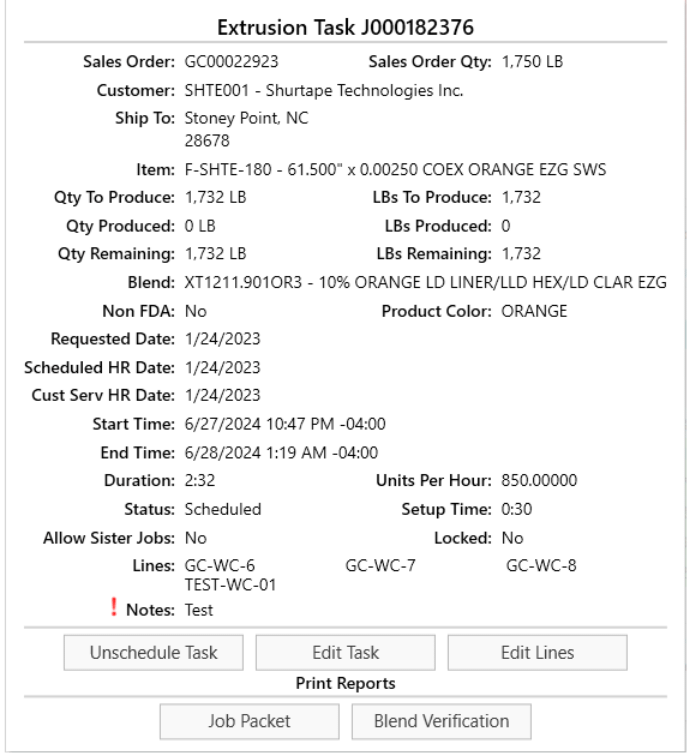
Viewing Task Details
Users can view detailed information for any task from either the Timeline or Grid View. To access task details, select a task and right-click to display a menu of available options.
Prism is an application developed by KTL Solutions for blended bill of material production. The solution supports three primary production step types: Extrusion, Printing, and Conversion. Each step uses defined blends as the Bill of Material for production.
Scheduling and managing production jobs is a critical part of daily operations. The Prism Scheduler Module provides the tools needed to organize work centers, manage production orders, coordinate schedules, and monitor production activity. This overview highlights the key scheduling capabilities available within the Prism application.