
Written by Bryan Goldman
If you work in the Microsoft ecosystem, you’ve probably heard both of these statements recently: “Copilot can do that for you,” and “Just automate it with Power Automate.” At first glance, they can sound interchangeable. In reality, they solve very different problems.
Understanding when to use Copilot versus Power Automate can save time, reduce risk, and help you avoid solutions that look impressive in a demo but struggle in real-world use.
So let’s start with a simple question: Why does this distinction matter?
When you understand the difference, you can choose the right tool for the job, build solutions that scale, and avoid forcing AI into scenarios where deterministic automation is the safer option.
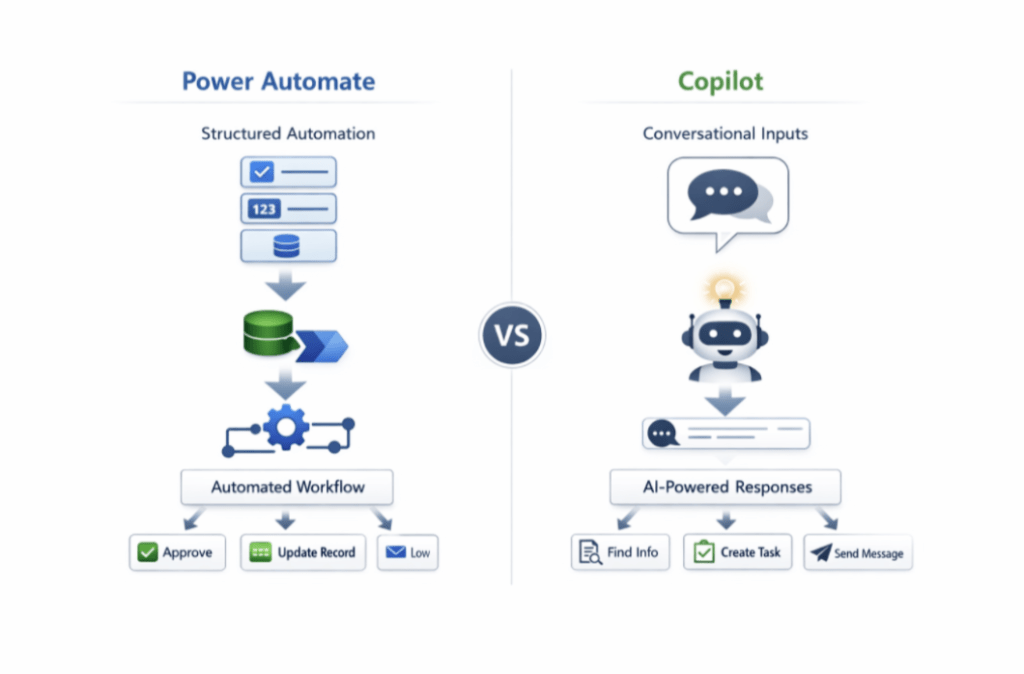
At a high level, Power Automate handles predictable, repeatable processes. Copilot focuses on human-like interaction and interpretation.
Power Automate works best when the steps are known ahead of time. When a specific event occurs, you want a specific action to follow every time. Copilot excels when inputs are unstructured, ambiguous, or conversational—situations where rigid logic often struggles.
When Power Automate Is the Better Choice
Power Automate is the best option when accuracy, consistency, and auditability matter most. In these scenarios, the system should behave the same way every single time.
For example, a new Dataverse record might need to trigger an approval, update a status, and send a notification. Power Automate handles that process reliably. It follows the same logic every time without interpretation or guesswork.
As a result, teams can test flows more easily, troubleshoot issues faster, and clearly explain the process to auditors or stakeholders.
Power Automate also works well when business rules are strict. Financial processes, compliance workflows, and system-to-system integrations often fall into this category. In these scenarios, you want explicit, deterministic logic rather than probabilistic decision-making.
When Copilot Is the Better Choice
Copilot delivers the most value when the system needs to understand intent instead of simply reacting to an event.
This often happens when people communicate in natural language.
Consider a shared mailbox that receives customer emails. One message might say, “Can you send me pricing?” Another might say, “I’m looking for a quote on 500 units.” Although the requests are similar, they use different language.
Traditional flows often struggle with this type of variability because the structure isn’t consistent. Copilot can interpret the meaning, identify important details, and determine the most appropriate next step.
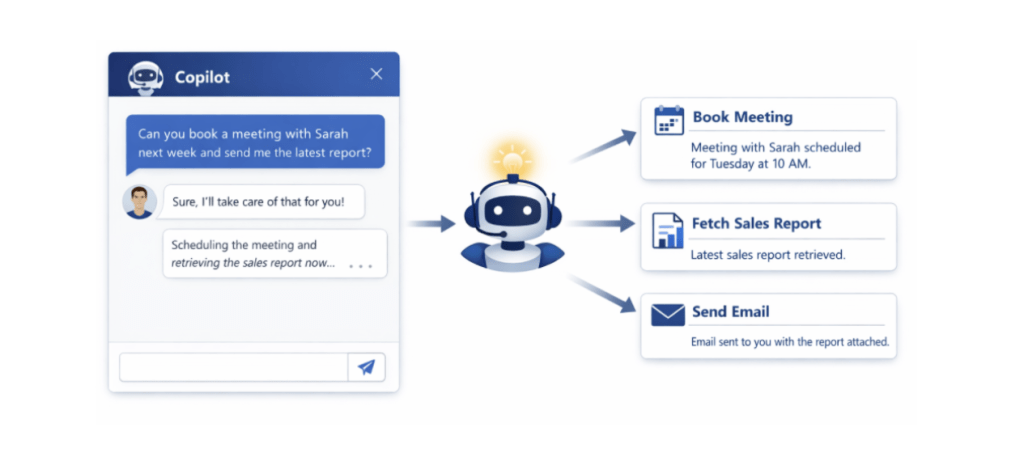
Copilot also excels in user-facing experiences. Chat interfaces, guided assistance, and knowledge discovery all benefit from conversational AI. Instead of forcing users through rigid forms, Copilot allows them to ask questions in their own words.
Common Mistakes to Avoid
One of the most common mistakes teams make is using Copilot where Power Automate would be safer, or using Power Automate where Copilot would be more effective.
When teams apply Copilot to rigid business rules, they often encounter unpredictable behavior and edge cases. On the other hand, when teams use Power Automate for highly variable inputs, flows can become bloated with conditions and exceptions that are difficult to maintain.
Choosing the right tool from the beginning helps avoid both issues.
The Real Power Comes from Using Both
The most successful solutions don’t treat Copilot and Power Automate as competitors. Instead, they combine the strengths of both.
Copilot can determine what should happen. Power Automate can execute that decision reliably.
For example, Copilot might analyze an incoming request, identify the user’s intent, and gather any missing information. Once it reaches a decision, Power Automate takes over. It can create records, route approvals, send confirmations, or perform other business actions.
This approach provides flexibility where you need it and control where it matters most.
Final Thoughts
Copilot and Power Automate are both powerful tools, but they serve different purposes.
Power Automate focuses on precision and repeatability. Copilot focuses on understanding and interaction.
Once you understand the strengths of each, you stop asking “Which one is better?” and start asking “Which one fits this scenario?”
That shift leads to solutions that are easier to build, easier to support, and far more effective in the long run.