
 Written By Tim Lally (President)
Defense contractors and suppliers must prepare for CMMC compliance, but many face challenges securing on-premises environments without migrating entirely to the cloud. Azure File Sync CMMC compliance offers a solution that enhances security, simplifies management, and supports compliance—while keeping your existing infrastructure intact.
What Is Azure File Sync?
Azure File Sync allows organizations to centralize file storage in Azure while maintaining local access performance. It syncs files between on-premises Windows Servers and Azure Files, enabling:
- Cloud-based backup and disaster recovery
- Tiered storage to reduce local footprint
- Centralized management with local performance
Learn more about Azure File Sync from Microsoft’s official documentation.
CMMC Compliance Challenges for On-Premises Systems
CMMC requires organizations to implement cybersecurity practices across five levels. Common challenges for on-premises systems include:
- Managing access controls and audit trails
- Ensuring encryption of sensitive data
- Maintaining secure backups
- Monitoring and responding to security threats
By using Azure File Sync CMMC compliance, these challenges can be mitigated effectively.
How Azure File Sync Supports CMMC Compliance
Secure Access and Identity Management
Azure File Sync integrates with Active Directory, allowing for role-based security—a key requirement for CMMC Level 2 and above.
Encryption and Data Protection
Files transferred to Azure Storage are encrypted in transit and at rest. You can also leverage Azure Backup for secure, compliant backups.
File Integrity Monitoring
Azure File Sync uses Windows USN journaling to detect file changes, supporting file integrity monitoring and change tracking.
Centralized Policy Enforcement with Azure Arc
Azure Arc extends Azure management to on-premises servers, enabling:
- Policy enforcement
- Update management
- Security baselines
Threat Detection with Microsoft Defender for Cloud
Microsoft Defender monitors threats as files transfer to and from Azure Storage. A compliance dashboard maps the configuration against your CMMC controls.
Data Classification with Azure Purview
Azure Purview classifies and labels sensitive data, supporting data governance and incident response planning.
Best Practices for CMMC Compliance
To optimize performance and compliance:
- Deploy Azure File Sync agents on domain-joined Windows Servers
- Use Sync Groups to manage cloud-local relationships
- Enable Azure Monitor and Sentinel for logging and analytics
- Apply RBAC and Azure Blueprints for consistent policy enforcement
- Configure Private Endpoints to secure storage and allow only VPN access
- Utilize Soft Delete to protect against accidental file deletion
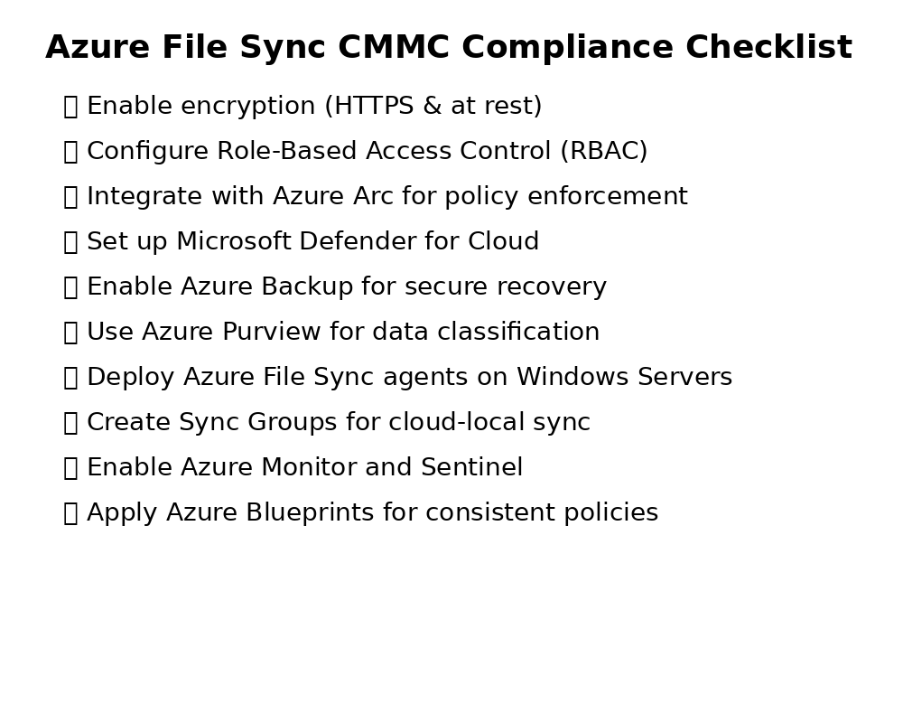
Downloadable CMMC Compliance Checklist
Use this checklist to guide your Azure File Sync CMMC compliance deployment:
Visual Checklist Included: azure_file_sync_cmmc_checklist.png
Why Azure File Sync Matters
Azure File Sync simplifies CMMC compliance while providing reliable cloud backup and redundancy for on-premises systems. It ensures secure, auditable, and efficient file management without requiring a full cloud migration.
For further guidance, explore Azure File Sync best practices.
Referenced by Microsoft
Azure File Sync can help you on your journey to CMMC compliance.
Azure File Sync is also a great tool for any on-premise environment if you want data security and redundancy for your on-premise environment. It is an excellent cloud backup solution with the reliability of Microsoft.