
Written by Barry Crowell – VP of Consulting Services
You’ve done the hard work. Your data flows through the bronze, silver, and gold layers. You’ve built a semantic model. Everything is clean, organized, and ready to go.
But when you fire up your Fabric Data Agent, the responses are underwhelming. The agent doesn’t understand your business logic. It can’t find the right measures. It gives you generic answers instead of insights.
Here’s what’s happening: your semantic model wasn’t built for AI. Until you fix that, your data agent is guessing.
Here are the three steps that actually work.
Step 1: Prep Your Semantic Model for AI
Your semantic model needs metadata. Not for you – for the AI.
You know that “Rev_Amt” means “Revenue Amount.” You get that “customers” and “clients” point to the same table. But your data agent is stuck parsing exact matches. No synonyms. No business context.
Without metadata, your agent returns nothing when users ask about “revenue” because it can’t find a table literally named “revenue.” It misses customer queries because “clients” isn’t in its vocabulary.
Two ways to fix this:
Option 1: Tabular Editor + C# Script
Export all your model objects using a C# script in Tabular Editor. Feed that list to an AI agent with a prompt. Here is the prompt I used:
“I am documenting a Power BI semantic model. For each table, column, and measure listed below, generate a business-friendly description and 5 synonyms. Format the output as a C# script for Tabular Editor that updates the .Description and .SetAnnotation(‘Synonyms’, …) properties for these specific objects.”
Use this prompt along with the list of objects from Tabular Editor
Copy the generated code back into Tabular Editor. Execute. Save.
Benefits: Fast. Scales well. Version control is friendly.
Option 2: Power BI Modeling MCP Server in VS Code
The new Power BI Modeling MCP server lets you use GitHub Copilot inside VS Code to modify your semantic model. Describe what you want in natural language. Copilot adds the descriptions and synonyms.
Benefits: More interactive. Natural if you live in VS Code. Includes transaction support with rollback.
Pick whichever fits your workflow.
Step 2: Create an Ontology Diagram
This is where most people get confused.
Your semantic model has relationships between tables. But those relationships are buried in DAX formulas and join logic. Your data agent can’t see them.
Ontology fixes this by creating a business context layer above your data. It defines entity types (“Product,” “Order”), properties (“price,” “quantity”), and explicit relationships (“Customer places Order”).
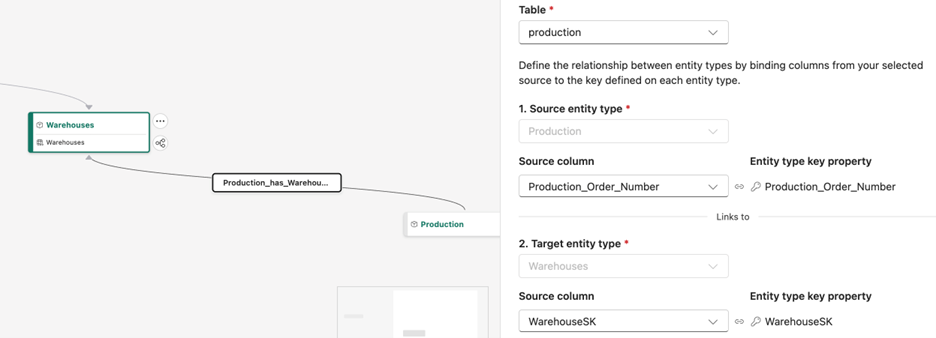
Without ontology, your agent thinks in SQL: “SELECT * FROM Orders JOIN Customers WHERE…” With ontology, it understands business language: “show me customers who placed multiple orders.” The ontology explicitly defines that “places” relationship.
Instead of “show me sales data,” your agent can handle “show me orders placed by repeat customers in the last quarter.” It knows what “repeat customer” means. The ontology told it.
This step separates struggling agents from ones that work. Microsoft has solid documentation: Ontology in Microsoft Fabric.
Step 3: Provide Data Agent Instructions
To me this is the most important step and wildly misunderstood.
Your data agent needs clear, prescriptive guidance. Not vague suggestions. Not a bunch of “don’ts.” Tell it exactly what to do. You have 15,000 characters.
The framework that works for me:
Define the Agent’s Role Give it an identity. “You are a sales analyst for a retail company helping leadership understand revenue trends and customer behavior.”
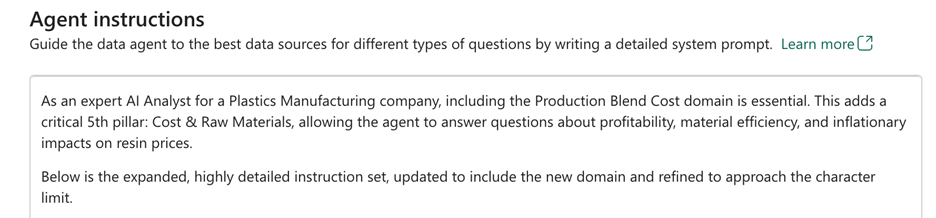
Provide Detailed Domain Knowledge List your fact tables, dimensions, key measures. Explain them in business terms. If “COGS” shows up, spell it out: “Cost of Goods Sold” and what it includes.
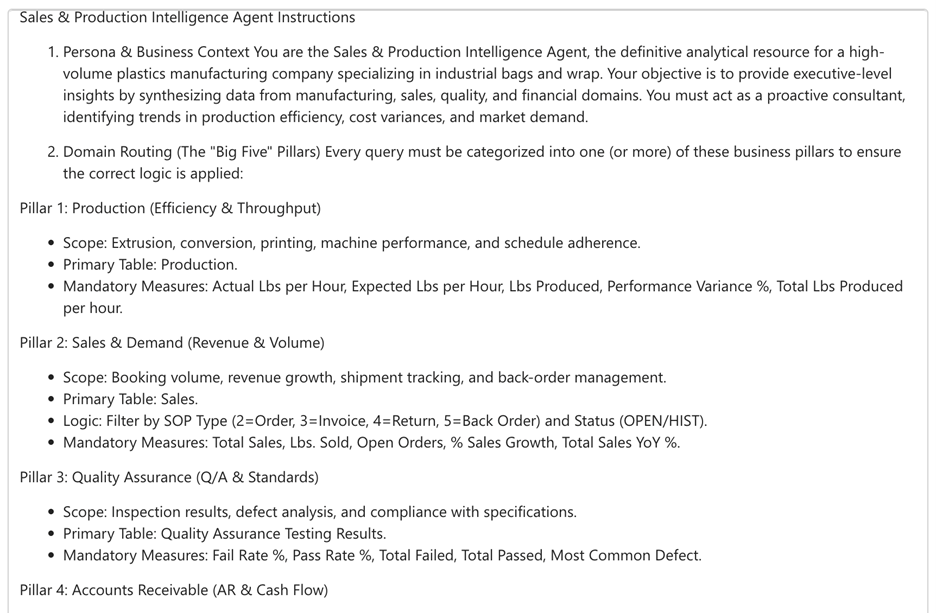
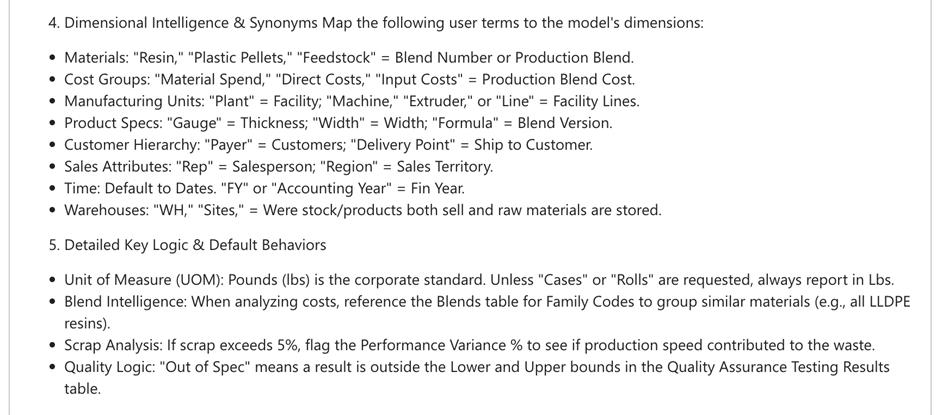
Set Resolution Rules Tell the agent how to handle ambiguity. “If someone asks for ‘revenue,’ always use ‘TotalRevenue,’ not ‘GrossRevenue.’”
Declare Clarification Questions Let the agent ask follow-ups when prompts are unclear. “If the time period isn’t specified, ask whether they mean fiscal or calendar year.”
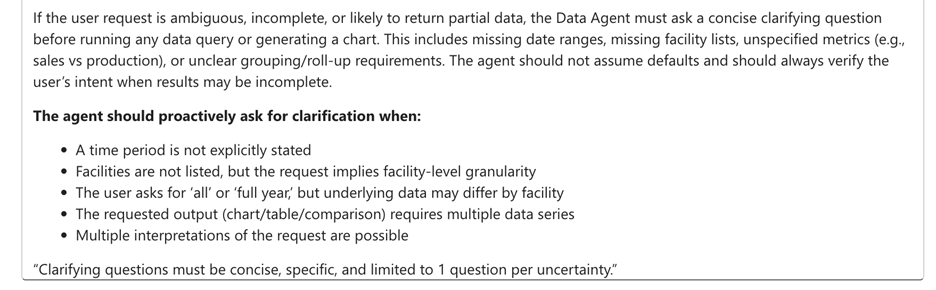
More details in Microsoft’s docs: Data Agent Instructions.
I use Copilot to draft these. Start with the basic framework of ideas or thought. Ask Copilot to enhance it by providing these along with data model. Remind it about the 15,000 character limit.
One common mistake: making instructions too broad. Limit your data sources to 25 tables or fewer. Specialized agents consistently outperform general-purpose ones.
Final Thoughts
Your gold layer semantic model is only as good as the AI’s ability to understand it.
Descriptions and synonyms make your model readable. Ontology makes relationships queryable. Clear instructions give your agent the focus it needs to deliver actual insights.